5th generation technology offers a wide range of features, which are beneficial for all group of people including, students, professionals (doctors, engineers, teachers, governing bodies, administrative bodies, etc.) and even for a common man.
Important Advantages
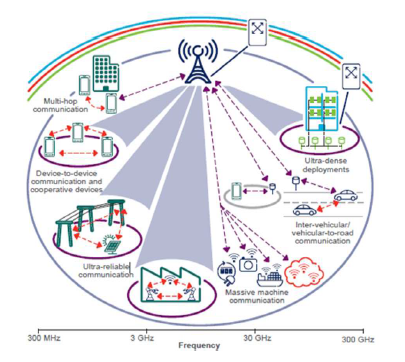
There are several advantages of 5G technology, some of the advantages have been shown in the above Ericsson image, and many others are described below −
- High resolution and bi-directional large bandwidth shaping.
- Technology to gather all networks on one platform.
- More effective and efficient.
- Technology to facilitate subscriber supervision tools for the quick action.
- Most likely, will provide a huge broadcasting data (in Gigabit), which will support more than 60,000 connections.
- Easily manageable with the previous generations.
- Technological sound to support heterogeneous services (including private network).
- Possible to provide uniform, uninterrupted, and consistent connectivity across the world.
| Some Other Advantages for the Common People |
| Parallel multiple services, such as you can know weather and location while talking with other person. |
| You can control your PCs by handsets. |
| Education will become easier − A student sitting in any part of world can attend the class. |
| Medical Treatment will become easier & frugal − A doctor can treat the patient located in remote part of the world. |
| Monitoring will be easier − A governmental organization and investigating offers can monitor any part of the world. Possible to reduce the crime rate. |
| Visualizing universe, galaxies, and planets will be possible. |
| Possible to locate and search the missing person. |
| Possible, natural disaster including tsunami, earthquake etc. can be detected faster. |
Disadvantages of 5G Technology
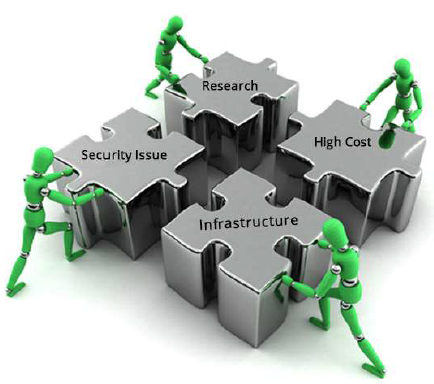
Though, 5G technology is researched and conceptualized to solve all radio signal problems and hardship of mobile world, but because of some security reason and lack of technological advancement in most of the geographic regions, it has following shortcomings −
- Technology is still under process and research on its viability is going on.
- The speed, this technology is claiming seems difficult to achieve (in future, it might be) because of the incompetent technological support in most parts of the world.
- Many of the old devices would not be competent to 5G, hence, all of them need to be replaced with new one — expensive deal.
- Developing infrastructure needs high cost.
- Security and privacy issue yet to be solved.
Comments
Post a Comment